
PiggyBet Casino Mobile App — Your Casino in Your Pocket

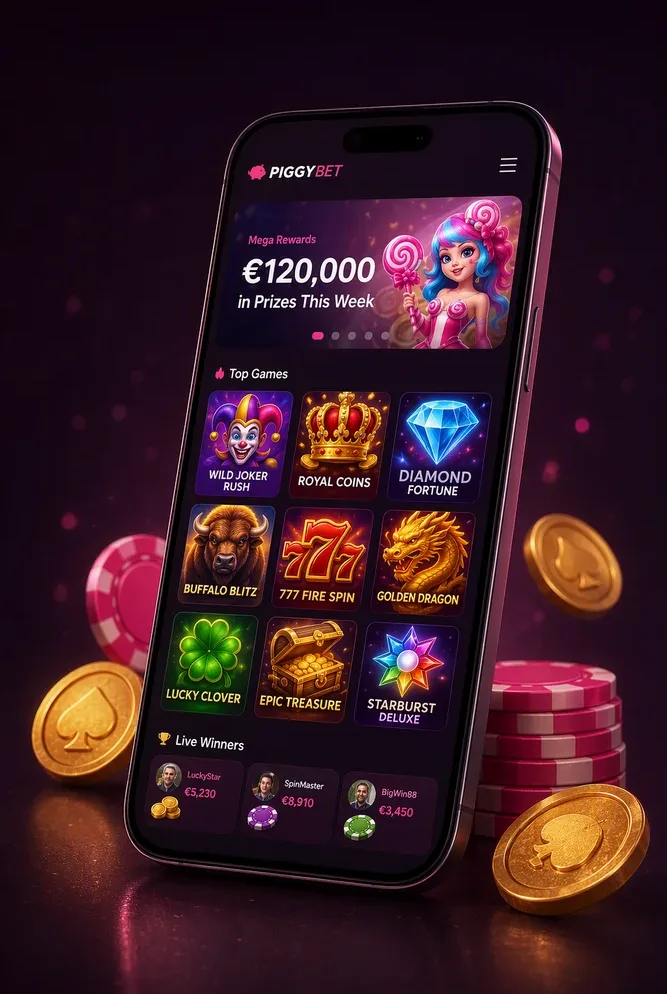
The PiggyBet Casino mobile app brings 6,000+ pokies, live dealer tables and provably fair crash games to your iOS or Android device. Register once, sign in from your phone and play anywhere with a connection. Your account, balance in A$ and bonus progress stay identical across every device, so you can deposit from A$20 on desktop, spin a round on the train and cash out from your phone when you land a win. Download the native client for iOS (145 MB) or Android (128 MB), or open the mobile site in Safari or Chrome with no install required. Either way you get the full catalogue from 75+ studios including Pragmatic Play, NetEnt, Microgaming and Evolution, the complete cashier with instant card and e-wallet deposits plus crypto payouts from 10 minutes, and 24/7 live chat in English. Strictly 18+.

Install the app
Add PiggyBet Casino to your home screen and play in one tap — no store needed.
Installation on iOS
- Open 1-up.fun in Safari browser on your iPhone
- Tap the «Share» button at the bottom of the screen
- Choose «Add to Home Screen» and tap «Add»
Installation on Android
- Open 1-up.fun in Chrome browser on your Android device
- Tap «Three dots» on the top right
- Tap «Add to Home screen» and tap «Install»
Download the PiggyBet Casino App for iOS and Android
PiggyBet Casino distributes its native mobile clients directly from this page. The iOS build weighs 145 MB and runs on iPhone and iPad with iOS 13.0 or later. The Android package is 128 MB and requires Android 8.0 or newer. Both install in under a minute, and neither asks you to register again: sign in with your existing email and password and your balance, payment methods and game history carry over immediately.
Do not download the app from third-party APK mirrors or unofficial stores. Files from those sources are not maintained by PiggyBet Casino, put your account at risk and may contain modified code. Use only the download buttons on this page or inside your account dashboard. Once installed, the app checks for updates automatically and prompts you when a new version is ready, so you never run outdated software.
If you would rather not install anything, the mobile site opens in any modern browser and delivers the same 6,000+ game library, the same A$ cashier and the same 24/7 support as the native app. Add a home-screen shortcut from Safari or Chrome and the mobile site behaves almost like a standalone app, minus the storage footprint.
Installing on iPhone and iPad
Open this page on your iPhone or iPad, tap the iOS download button and confirm the installation when iOS asks whether you trust the profile. The app icon appears on your home screen once the install completes. Launch the app, enter your PiggyBet Casino email and password, and you are in. Face ID and Touch ID sign-in unlock after your first successful login, so future sessions take a single glance or tap rather than typing credentials every time.
The iOS client adapts to portrait and landscape orientation automatically. Pokies and table games fill the screen in landscape mode for a desktop-like view, while portrait mode keeps one-thumb navigation smooth for browsing the lobby or checking your balance on the move. Push notifications land when a withdrawal clears, a reload bonus activates or a VIP milestone is reached, and you control every category in Settings.
Installing the Android Package
Tap the Android download button on this page from your phone or tablet. Your browser downloads the APK file and asks whether you want to install from this source. Allow the installation, open the downloaded package and follow the on-screen prompts. Sign in with your PiggyBet Casino details once the app launches. The process takes about a minute from download to first login.
Android 8.0 or later is required, along with roughly 300 MB of free storage for the app and its cache. Updates arrive as in-app notifications rather than through third-party catalogues, so you receive new features and fixes as soon as they are released. The Android client supports biometric login through fingerprint or face unlock depending on your device, shortening the path from icon tap to game launch.
Prefer No Download? Play in the Mobile Browser
The mobile site at 1-up.fun runs the same lobby, cashier and support channels as the native app, optimised for touch and smaller screens. Open it in Safari on iOS or Chrome on Android, sign in and start playing without waiting for an install. Every pokie, live table and crash game that works in the app also runs in the browser, from classics like Starburst to high-volatility Megaways titles.
To add a shortcut to your home screen, tap Share in Safari or the menu in Chrome, choose Add to Home Screen and name the icon. That icon launches the site in full-screen mode without browser chrome, creating an app-like experience with no storage requirement beyond cached images. Deposits from A$20, withdrawals up to A$10,000 per day and KYC document uploads all work identically in the mobile browser.
Choose the browser route if you play casually, juggle limited phone storage or prefer not to grant app permissions. Choose the native app if you want push notifications for payout status, slightly faster load times on live dealer streams and offline access to recent game thumbnails. Either way, one account and one A$ balance cover both.
App Specs and Device Requirements
The iOS app requires iOS 13.0 or later and about 145 MB of storage, plus another 150 MB for cache and downloaded assets over time. The Android build asks for Android 8.0 or newer and 128 MB upfront, expanding to roughly 300 MB as you play. Both versions support portrait and landscape orientation, adapt to tablets and fold-screen devices, and run in English with additional language packs available for non-English speakers.
A stable connection is necessary for live dealer tables and real-money play: Evolution's HD streams work best on Wi-Fi or 4G with at least 3 Mbps download speed, while pokies and RNG table games run smoothly on slower connections. If your connection drops mid-round, the app reconnects automatically and restores your session. Interrupted live rounds settle according to the last confirmed bet, and your balance updates once the connection is re-established.
| Parameter | iOS | Android |
|---|---|---|
| Minimum OS version | iOS 13.0 | Android 8.0 |
| Install size | 145 MB | 128 MB |
| Total storage needed | ~300 MB | ~300 MB |
| Orientation | Portrait & landscape | Portrait & landscape |
| Biometric login | Face ID / Touch ID | Fingerprint / face unlock |
| Recommended connection | Wi-Fi or 4G, 3+ Mbps | Wi-Fi or 4G, 3+ Mbps |
Live dealer tables from Evolution stream at up to 1080p on supported devices, downscaling to 720p or 480p when bandwidth is tight. Pokies and table games load within 2 to 5 seconds on a clean cache. Clear the app cache from Settings if games begin loading slowly or if the lobby feels sluggish after weeks of use.
Everything You Can Do From the App
Our lobby travels with you: search and filter across the full catalogue of 6,000+ games from 75+ providers, save favourites and jump straight back into a session. Pokies from Pragmatic Play, NetEnt and Microgaming run at RTPs of roughly 96.0% to 96.8%, shown in each game's info panel, and provably fair crash titles let you verify every round yourself. The cashier, your bet history and the promotions tab sit one tap away, including the welcome package of 100% up to A$1,000 plus 300 free spins on a deposit from A$20. Your balance, bonus progress and loyalty status stay in sync with desktop, so switching devices never resets anything.
Live Dealer Tables on a Small Screen
Live blackjack, roulette and baccarat from Evolution run in a compact portrait layout built for one-handed play, with tables starting from A$1. Chat with the dealer, check limits and place bets without leaving the vertical view. A steady Wi-Fi or 4G connection keeps the stream sharp, and free spins do not apply to these tables. Browse the full live dealer lineup for table variants and stakes.
Cashier on Mobile: Deposits and Payouts in A$
Deposit from A$20 using Visa, Mastercard, Skrill, Neteller or crypto including BTC, ETH and USDT, all in your app cashier. Withdrawal requests are submitted the same way, with crypto typically clearing in 10 minutes to 2 hours, e-wallets within 24 hours and cards in 1 to 3 business days, up to a daily limit of A$10,000. A completed identity check opens your first withdrawal, and after that later payouts move straight into processing. See every method and A$ limit for the full breakdown.
Secure Login, Face ID and Push Alerts
Your session is encrypted from login to logout, and Face ID or fingerprint sign-in saves you from typing a password each time you open the app. Inactive sessions log out automatically. Push notifications flag payout updates and current promotions, and you can turn off promotional alerts while keeping transaction ones on. If your device is lost, sign in from another one and end all active sessions from your account settings. These protections follow our licensing standards for account security.
Player Protection Tools Built Into the App
Deposit limits in A$ from A$50 a day, session time limits and play reminders sit inside your account settings, alongside time-outs and self-exclusion. Tightening a limit takes effect right away. These tools are built for players who want more control over their sessions, and our team can point you to Gambling Help Online if you need extra support. PiggyBet Casino is strictly for players aged 18 and over.
Help Inside the App, 24/7
Live chat replies in under 3 minutes around the clock, and you can attach verification documents straight from your phone's gallery without switching apps. For anything more detailed, email support sits one tap away. If the app misbehaves, check your connection, update to the latest build, clear the cache or reinstall, then reach out to chat if the issue sticks. Full contact options are on our support page.